Updated September 2026
Spotify and Apple Music stats apps, compared
Wrapped is once a year. For the rest of the time, people have basically four ways to get an answer to “what have I been listening to?” Stats.fm, Last.fm, Airbuds, and the app I make. Here’s what each one can track. I’ll also go through what each charges and which work on Apple Music.
By Ben, the creator of Rate.fm. Full disclosure. I’ve tried to keep this fair. If something below is wrong, it’s probably just a mistake.
TL;DR
Rate.fm does everything in the table below, and none of it costs money. Every stat the other three have is on it, plus ratings, reviews, and an AI that answers questions about your own listening. It has exactly one gap: it’s iPhone only. The rest of this page is really about that gap.
Where the other three still win
- On Android: Stats.fm, Last.fm, or Airbuds. Rate.fm is web-only on Android for now.
- Tracking from a desktop, a web player, or every service at once: Last.fm. Two decades of scrobbles, desktop and web included.
- Amazon Music, SoundCloud, Audiomack, or Deezer: Airbuds is the only one of the four that connects to them.
Where Rate.fm wins
- On Apple Music: Rate.fm. It connects to Apple Music directly and logs your plays automatically. Stats.fm is built around Spotify, and Last.fm’s iPhone app only scrobbles songs in your library.
- Stats without a paywall: Rate.fm. There is no paid tier. Stats.fm’s top albums, play counts, and listening clocks all need Plus. Last.fm’s advanced stats and historical reports need Pro.
- Your full Spotify history, back to the beginning: Rate.fm imports Spotify’s data export for free at rate.fm/spotify-history, and shows your all-time stats in the browser before you even sign in. Stats.fm imports the same file, but only on its paid Plus tier.
- Stats plus a diary: only Rate.fm puts ratings out of 10. It also has reviews and lists next to the listening stats. The other three don’t do ratings at all.
- Seeing what friends play right now: Airbuds and Rate.fm both have a Home Screen widget for it. Rate.fm also has a feed with the ratings and reviews attached.
- Asking questions about your listening: only Rate.fm has an AI that answers from your own plays and ratings.
What a stats app needs
Three main things. It has to be able to log plays without you doing anything. It has to work with the services you actually use, which for a lot of iPhone owners is Apple Music. And the really interesting numbers, like when you listen and how many times, shouldn’t be in a subscription. Then of course there’s the question that none of the other stats apps answer, which is what did you think of what you listened to?
The comparison
How this was put together: each app’s own site, App Store listing, and pricing page. Updated September 2026.
| App | Spotify | Apple Music | iPhone app | Android app | Website | Tracks plays automatically | Listening clock | Full streaming history | Ratings | Written reviews | Friends | Friends-listening widget | AI you can ask about your listening | Price |
|---|---|---|---|---|---|---|---|---|---|---|---|---|---|---|
| Rate.fm | ✓ | ✓ | ✓ | – | ✓ | ✓ | ✓ | ✓ | ✓ | ✓ | ✓ | ✓ | ✓ | Free, no ads, no paid tier |
| Stats.fm | ✓ | ~ | ✓ | ✓ | ✓ | ✓ | ~ | ~ | – | – | ✓ | – | – | Free with ads, Plus is paid |
| Last.fm | ✓ | ~ | ✓ | ✓ | ✓ | ✓ | – | ✓ | – | – | ✓ | – | – | Free with ads, Pro $4.99/mo |
| Airbuds | ✓ | ✓ | ✓ | ✓ | – | ✓ | – | – | – | – | ✓ | ✓ | – | Free, Plus is paid |
✓ yes · – no · ~ partly. Stats.fm’s Apple Music support is limited, and its history import takes in Spotify’s export only, on the paid tier. Its listening clock also requires Plus. Last.fm scrobbles Apple Music on iPhone only for songs in your library. “Full streaming history” means every play back to the day you joined the service, not just from when you installed the app.
Each one, honestly
Rate.fm
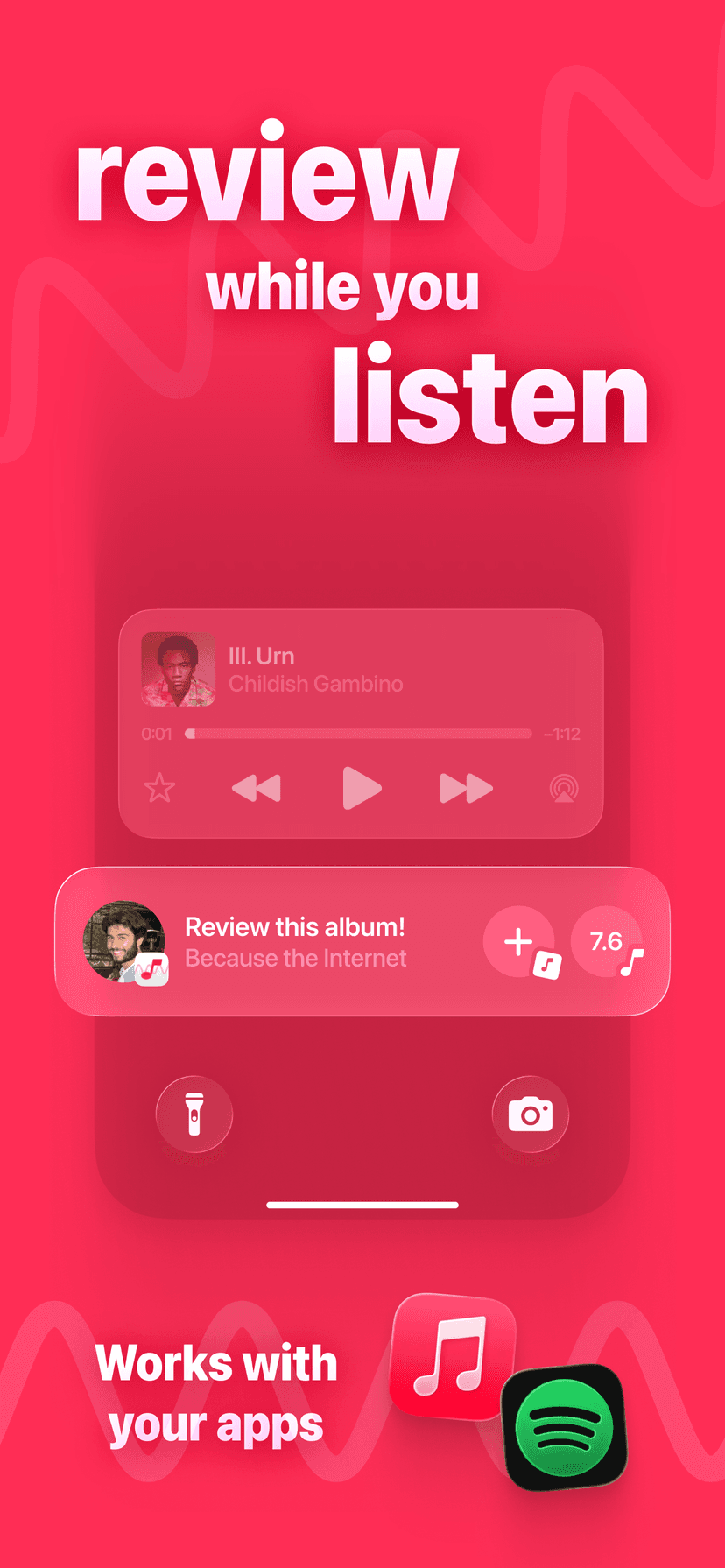
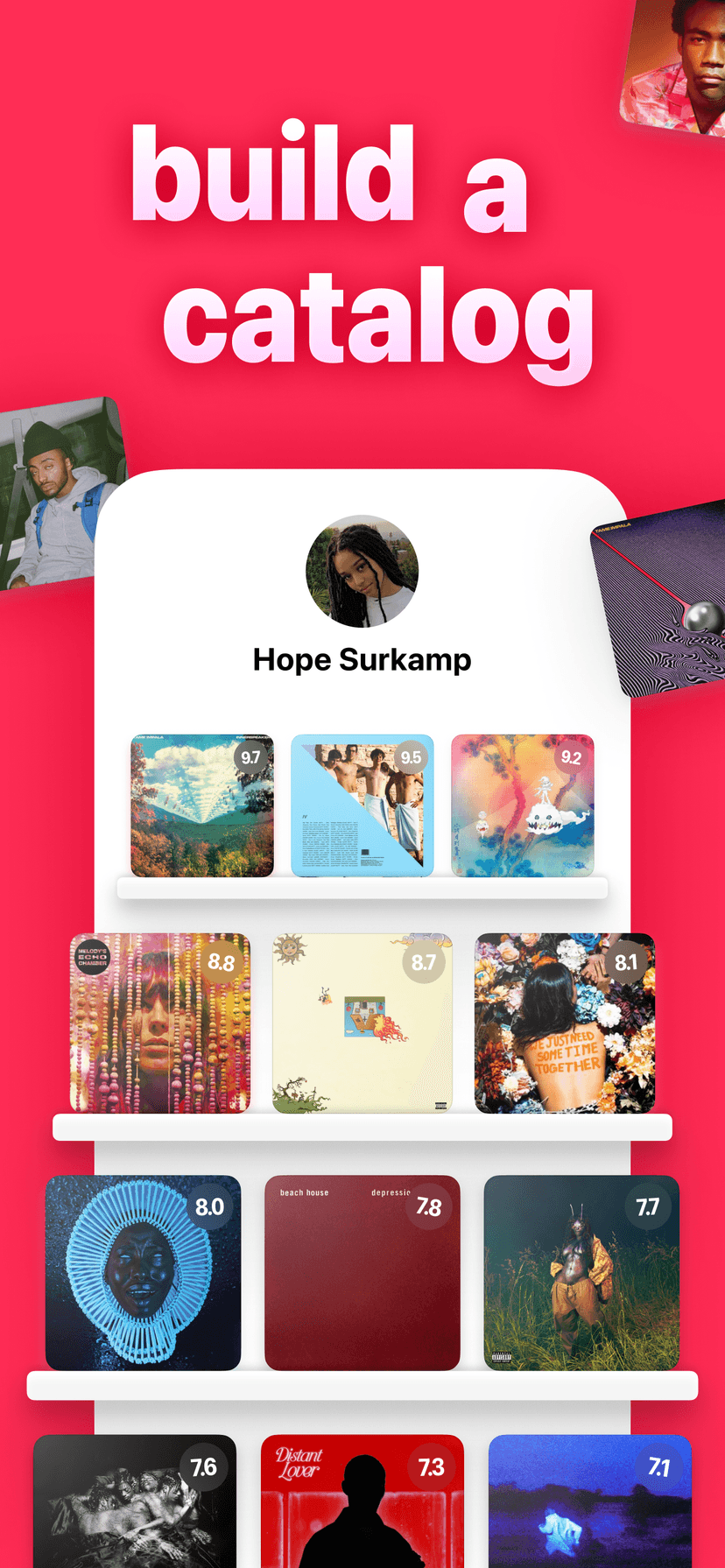
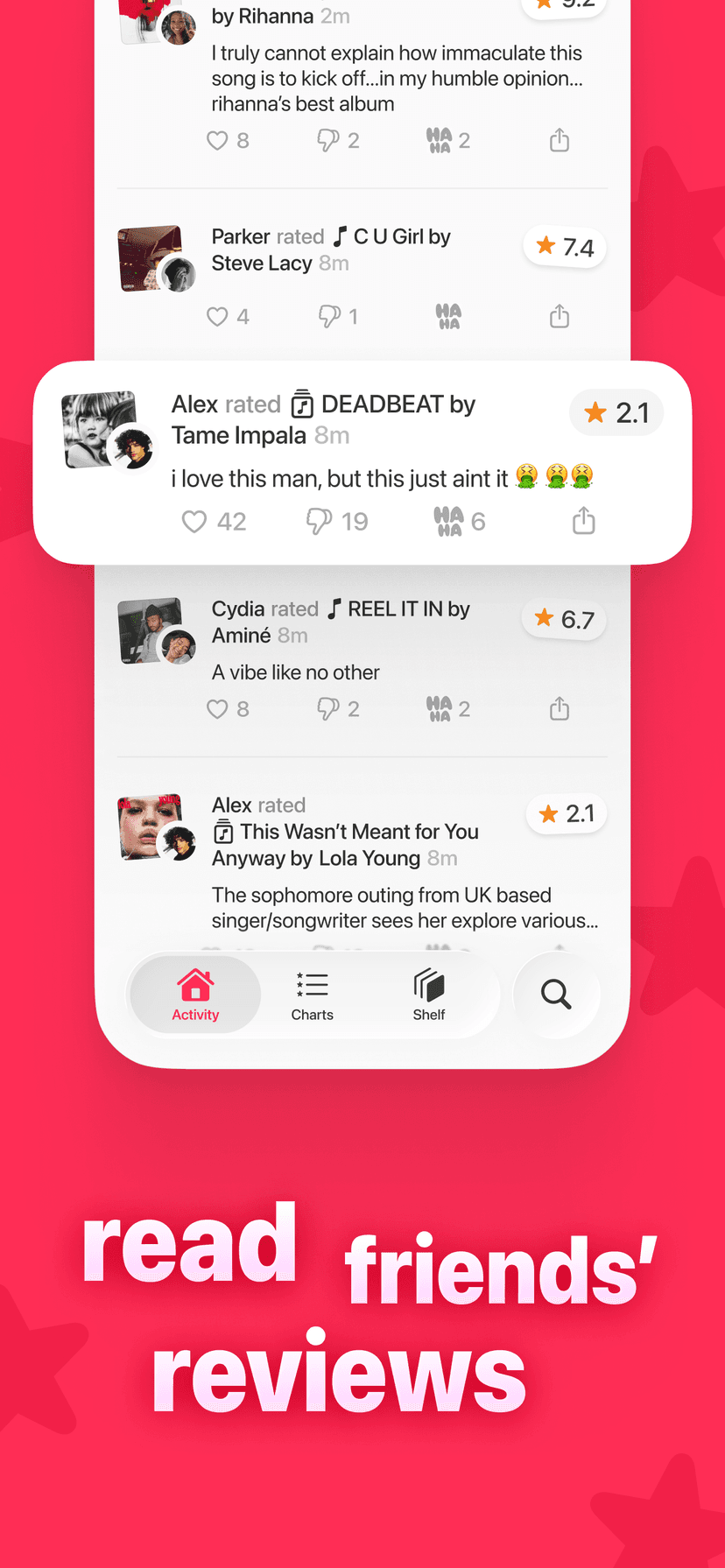
An iPhone app and a website. It connects to Apple Music or Spotify and logs everything you play passively. Every profile has a stats page, including plays per day, hours streamed, a listening clock by the hour and weekday, the genres you play, and your top songs, artists, and albums from the past 7 days, 4 weeks, 6 months, year, and all time. The same page shows your rating history, because the whole app is also a diary. Albums and songs are scored from 0 to 10, with reviews, lists, and a feed of what friends are playing and rating at the moment. You can rate the song while it’s playing from the Lock Screen, and there’s a Home Screen widget that shows which friends are listening right now. And there’s an AI you can ask things like “what did I play most in March” or “what should I listen to next,” which answers from your own plays and from its extensive network of plays and reviews. Completely free, no ads, and no paid tier. Your full Spotify history comes in too: drop Spotify’s data export at rate.fm/spotify-history and every play lands with its original date, free. Where it falls short: no Android app yet, and the community is younger than Last.fm’s.
Stats.fm
The most popular of the four. On iPhone, Android, and web. It started as Spotistats, which is kind of emblematic of where its heart lies. Connect Spotify and you can get your top 50 songs and artists for free. Top albums, play counts, listening clocks, and custom timeframes all need the paid Plus tier. So does basically the feature people care about most: importing Spotify’s streaming-history export so your stats date back to the beginning. Rate.fm imports the same file for free. It has friends and leaderboards, but the social aspects are thin. If you’re on Apple Music, it isn’t really built for you. No ratings or reviews.
Last.fm
The original stats product, running since 2002. It’s on every platform, basically. Connect Spotify to scrobble everything you play automatically. Desktop and web scrobblers can cover almost everything else. The free tier gives you charts from the last 7 days to all time. The Last.week and Last.year reports are also available. Pro, which costs $4.99 a month or $49.99 a year, adds more advanced stats, historical listening reports, and scrobble editing, with no ads. The biggest weakness besides the price is Apple Music. The app can only scrobble songs that are in your library, so many plays never get added. And after 20 years, it still has no ratings or reviews. If you want your listening tracked everywhere for the rest of your life, this is the default answer. But if you want to talk about music in any way, and get the advanced AI features that come with that, this can’t do it.
Airbuds
A Home Screen widget that shows what your friends are listening to at the moment. They can react and chat, and you get a recap on Sunday. It works with Spotify, Apple Music, Amazon Music, SoundCloud, Audiomack, and Deezer. It’s available on iPhone and Android. The recap is their stats feature, and it only comes once a week. It’s pretty hard to dig into the stats the way they present it as well. It has a paid Plus tier. It’s decent at the one thing it really does, the widget. There are no ratings, no reviews, and no website.
Looking for ratings instead?
If you want a music diary in addition to or instead of music stats, those apps are different. They’re compared at rate.fm/letterboxd-for-music, and if your history is on Musicboard, use rate.fm/musicboard to download it for free.
Questions people ask
What is the best Spotify stats app?
Stats.fm is the most popular one, and it’s the correct pick if you’re on Android. Rate.fm is the pick on iPhone if you want all your stats for free with no paid tier, alongside ratings and reviews, and it imports your full Spotify streaming history for free, which Stats.fm charges for. Last.fm is the pick if you want your listening tracked across every platform for all the years to come.
Is there an Apple Music stats app?
Yes. Rate.fm connects to Apple Music on iPhone and logs what you play automatically. It also shows plays per day, hours streamed, a listening clock, top genres, and your top songs, artists, and albums for the last 7 days, 4 weeks, 6 months, year, or all time. Stats.fm is built around Spotify. Last.fm’s iPhone app only scrobbles Apple Music songs that are in your library.
Is there a free Stats.fm alternative?
Rate.fm. Every profile has a stats page with plays per day, hours streamed, a listening clock, genres, and top songs, artists, and albums. None of it is behind a paywall. It also imports Spotify’s streaming-history export for free at rate.fm/spotify-history, which is what Stats.fm Plus charges for.
Does Rate.fm have all the stats Stats.fm and Last.fm have?
Yes, and none of it is paywalled. Every stat on Stats.fm’s or Last.fm’s pages is on Rate.fm’s: plays per day, hours streamed, a listening clock by hour and by weekday, genres, top songs, artists and albums, and your rating history next to all of it, over any range from 7 days to all time. Plus the ones they do not have, like asking an AI questions about your own listening. If there is a stat you want that is not there, tell Ben and it gets built. Free, for everyone, not as a tier.
Is there a Last.fm alternative for iPhone?
Rate.fm is the closest one if you listen to Apple Music or Spotify from your phone. It logs plays automatically and lets you add ratings out of 10. It also has reviews, lists, and a feed of what friends are playing. Last.fm does not have these features. Last.fm is still the better choice if you scrobble from a desktop, a web player, or an alternative streaming service, because it tracks everything everywhere.
Does Last.fm track music automatically?
Yes. Once you connect Spotify to your Last.fm account, every play is scrobbled automatically. Apple Music on iPhone is its weakness. The Last.fm app can only scrobble songs that are in your library, so most Apple Music listeners end up with gaps.
What does Airbuds do?
Airbuds is a Home Screen widget that shows what your friends are listening to right now. It has reactions and a weekly recap every Sunday. It works with Spotify, Apple Music, and a few other services. It is more of a social widget than a stats app, and it has no ratings or reviews.
Try the one with no paywall.
Get Rate.fm for iPhoneFree, no ads. Also on the web at Rate.fm.